
SeqeuenceQ
SeqeuenceQ is a unified model API platform for AI applications, developer tools and automated workflows. From one console, you can create API keys, choose models, review call records, and monitor balance, usage and service status.
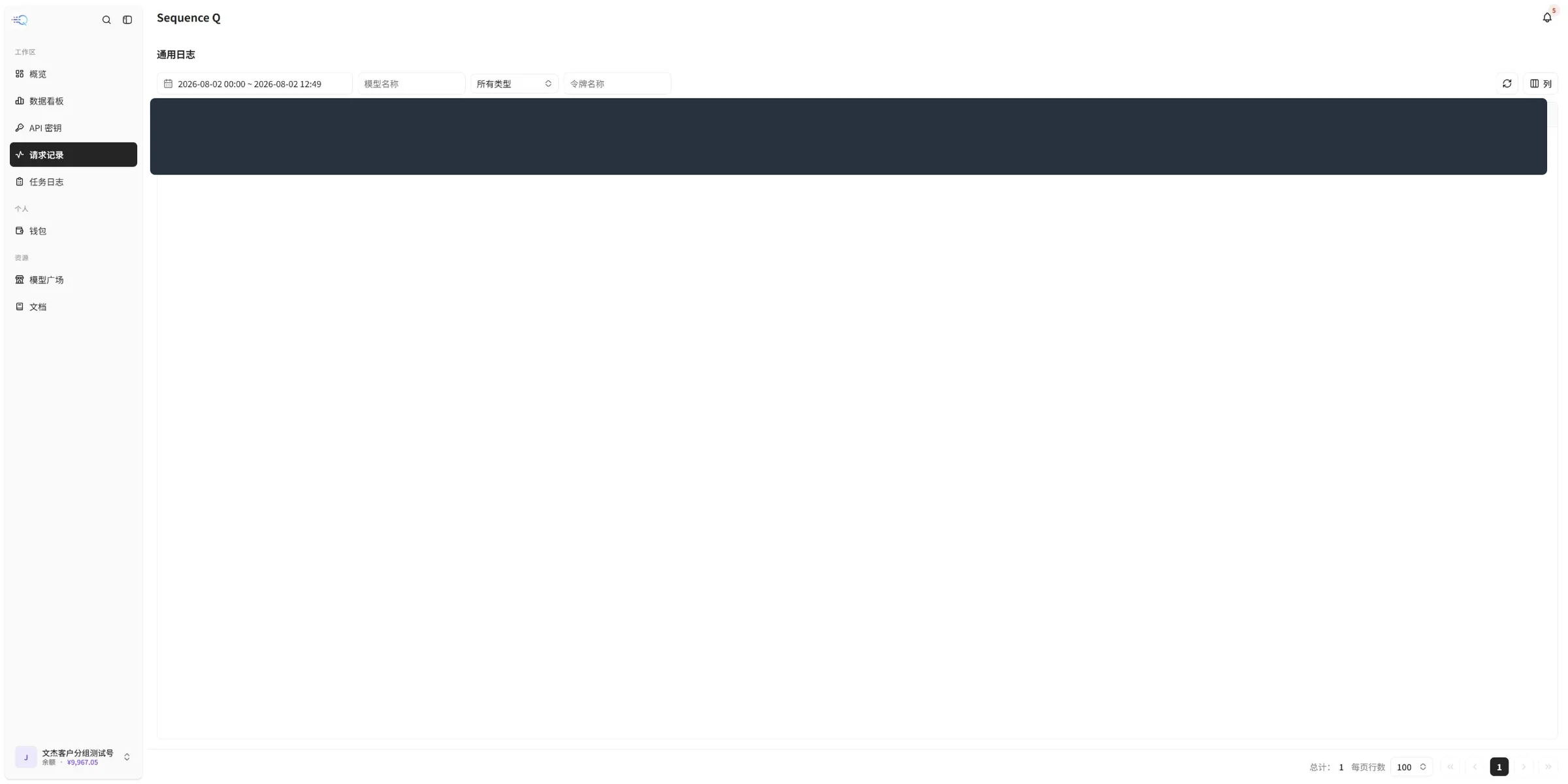
Screenshot note: These screenshots are from the SeqeuenceQ console. Only the API key value on the API Keys page and request content on the Request Records page are hidden; other page content is shown as captured. Live values, models, prices and features may change.
Getting started
- Open the SeqeuenceQ console and sign in.
- Open API Keys and create a separate key for the application you want to connect.
- Open Model Marketplace to filter by provider, model type or tag and review available models and prices.
- Follow the integration documentation to configure the API endpoint, key and model name.
- After sending a request, review the result in Request Records or Task Logs.
- Use Overview, Data Dashboard and Wallet to monitor service status, usage and billing.
Console pages
Overview
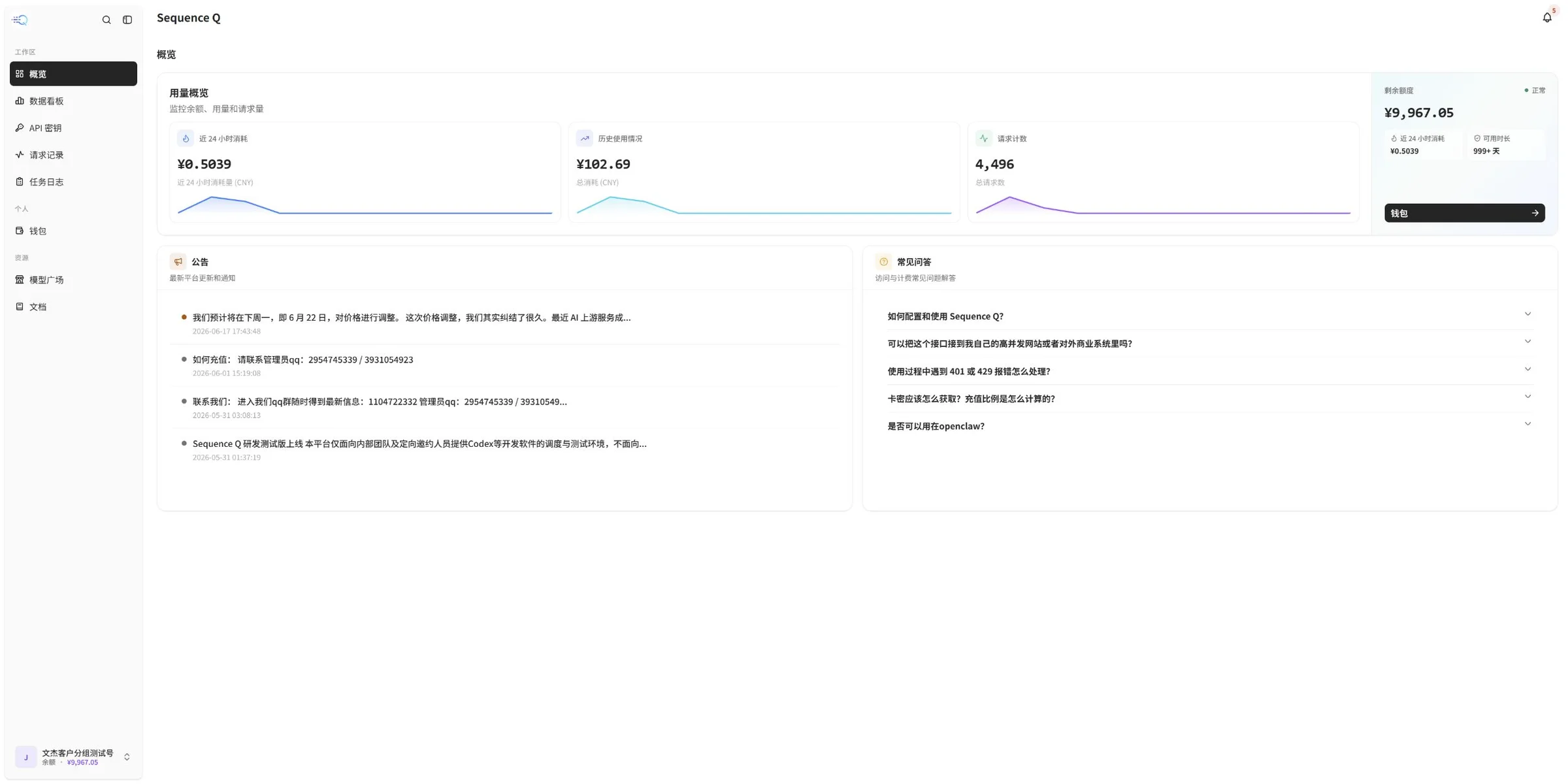
Overview is the starting page after sign-in. It brings together recent consumption, historical usage, request counts, available quota, announcements and frequently asked questions. Start here when you need a quick health check.
Data Dashboard
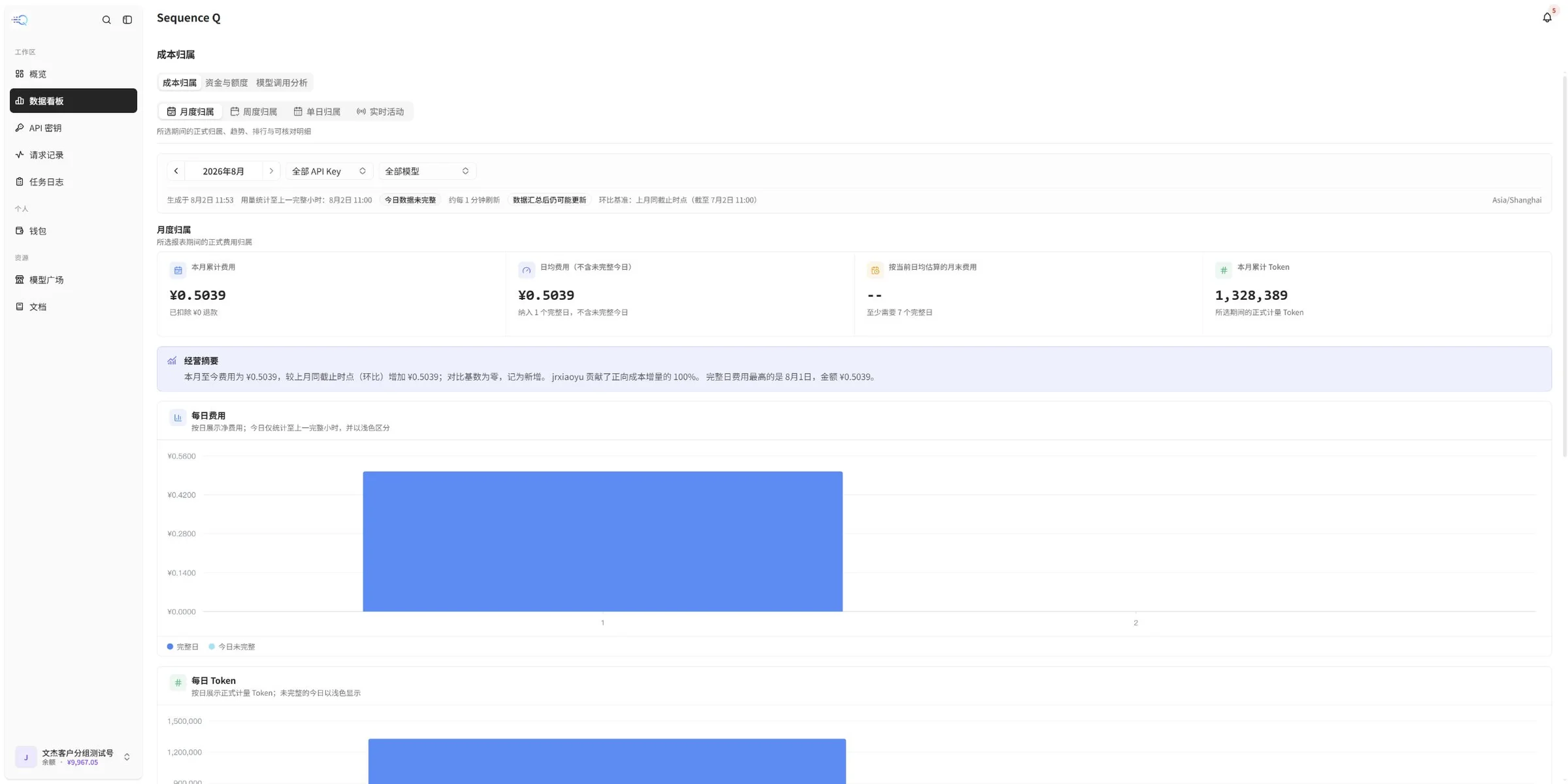
Data Dashboard helps you review cost attribution, funds and quota, model usage analysis and Token consumption by month, week, day or real-time range. It is designed for trend analysis rather than a single request.
API Keys
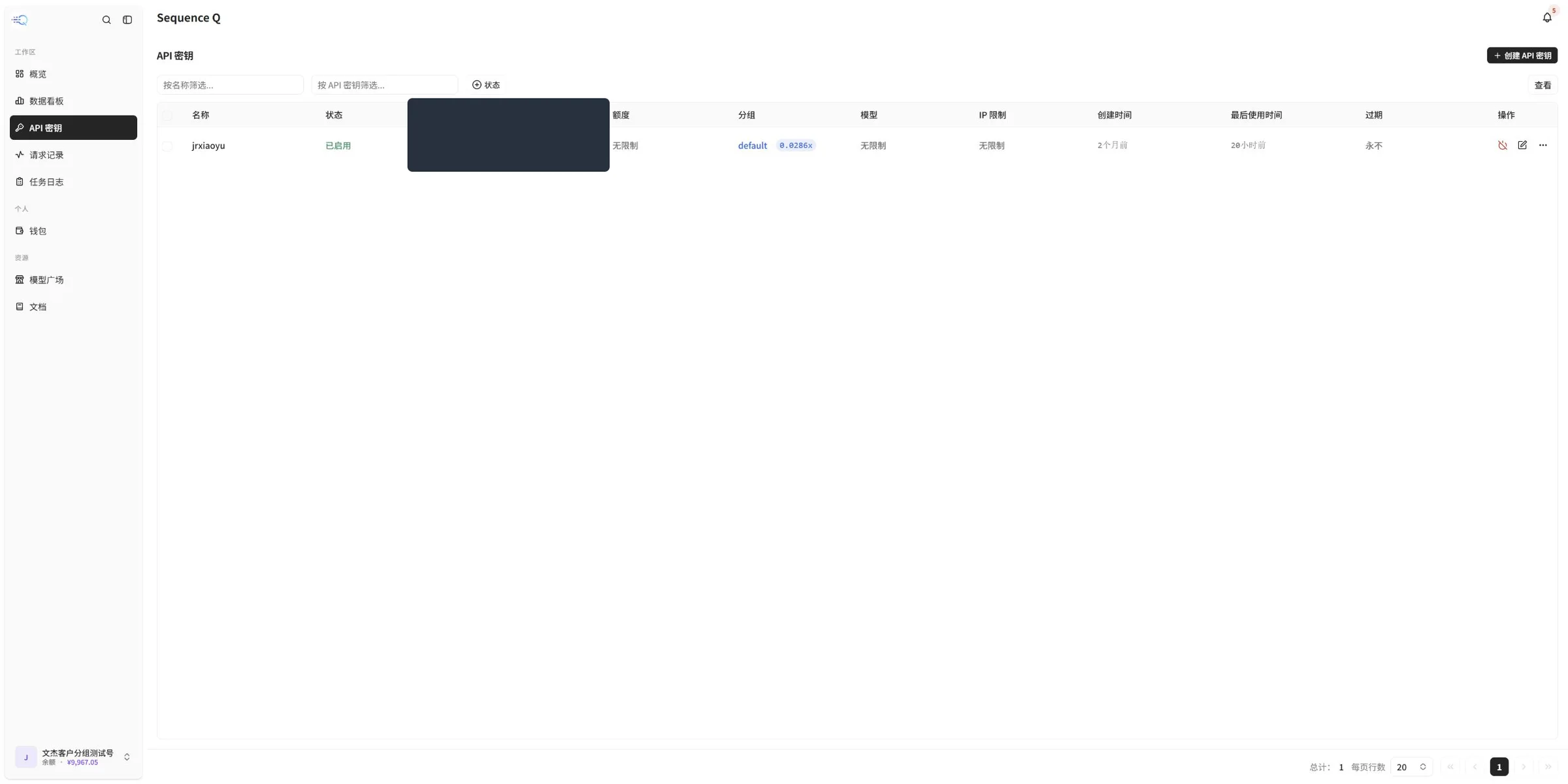
API keys authenticate your requests. Use a name that identifies the application or environment, and store the complete key only in a secure server-side secret store.
- Never commit a complete key to a public repository.
- Never expose a key in frontend code, screenshots or chat messages.
- If a key may have been exposed, disable or replace it immediately from the console.
Model Marketplace
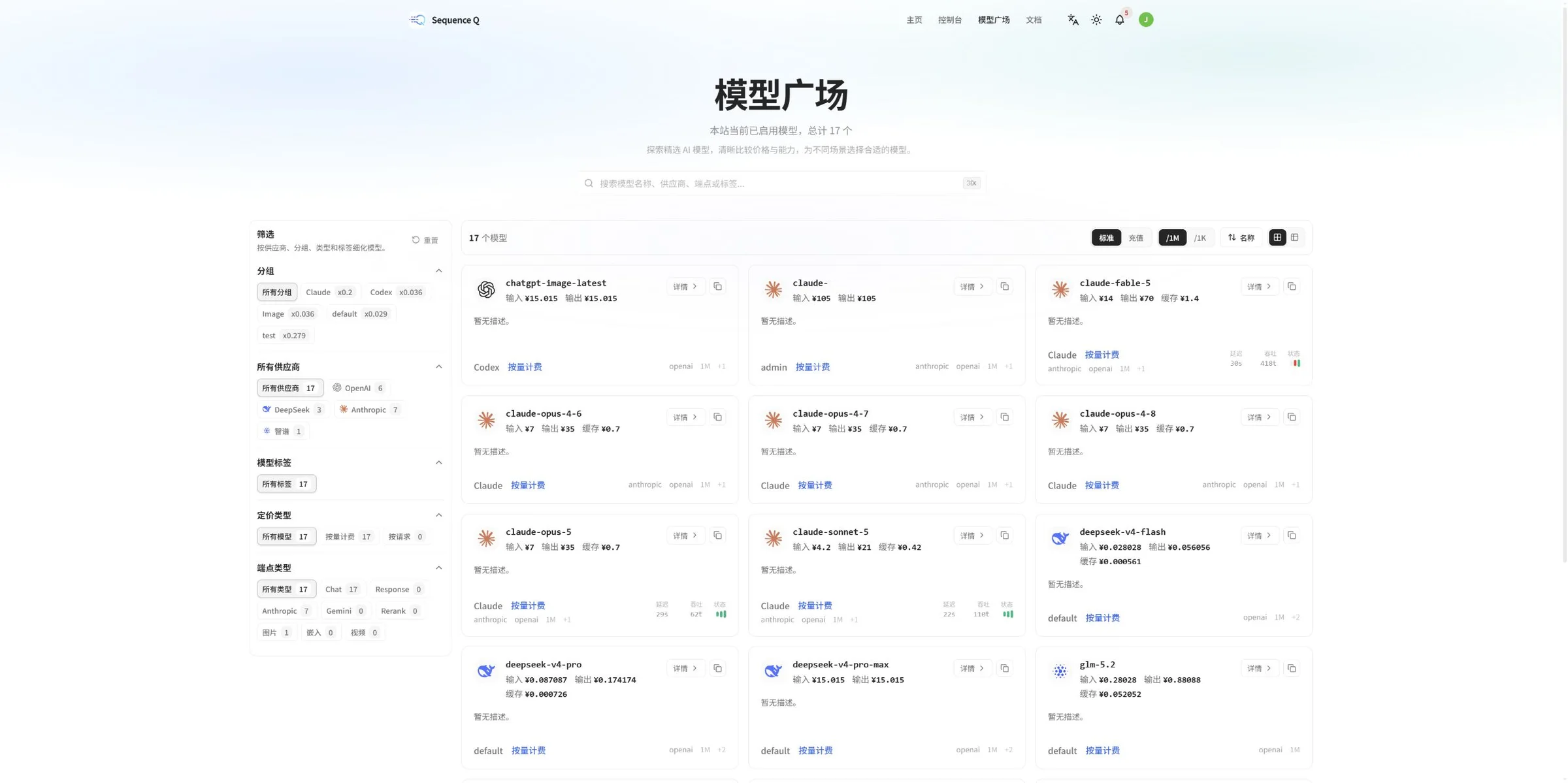
Model Marketplace lists the models currently available and provides filters for provider, group, model tags, pricing type and endpoint type. Open a model's details to confirm its exact name, billing method and supported features before adding it to your integration.
Request Records
Request Records shows the time, model, reasoning settings, endpoint, streaming mode, token count, cache hits, cost, duration and details of regular API calls. When investigating a failure or unexpected usage, narrow the time range first and then filter by model or token name.
Task Logs
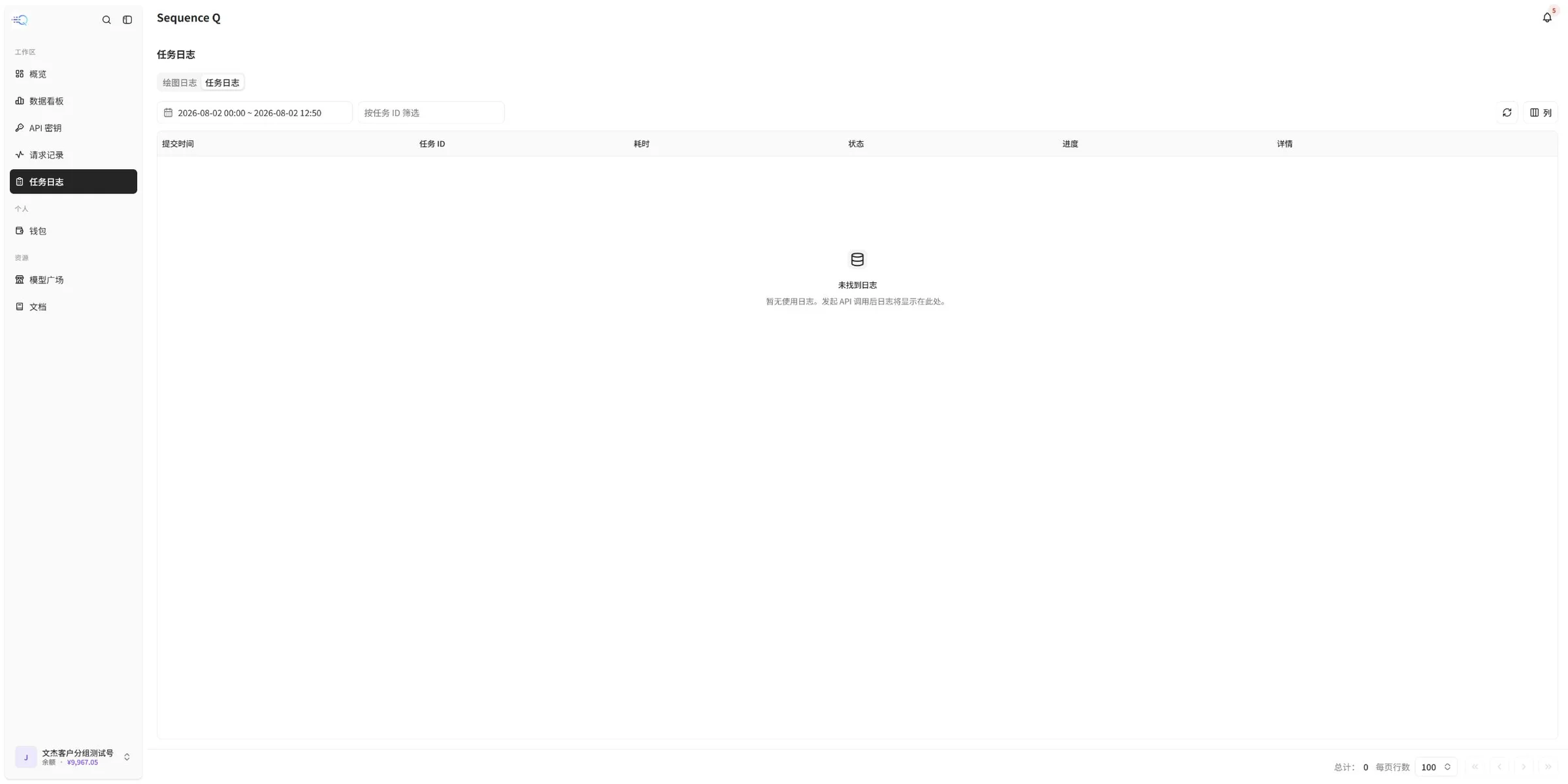
Task Logs shows the submission time, task ID, duration, status, progress and details for task-based calls. An empty state usually means that no task-based call was recorded in the selected time range.
Wallet
Wallet shows the current balance, accumulated usage and API request statistics, and provides the platform's available recharge or credit-exchange options. Follow the live page for current amounts, payment methods, exchange rules and settlement timing.

Recommended workflow
- Confirm the model name, provider and billing method in Model Marketplace.
- Create a key dedicated to the current application in API Keys.
- Configure the API endpoint, key and model name on the application's server.
- Send a small test request and verify the response and cost.
- Use Request Records for single-call investigation and Task Logs for task-based calls.
- Monitor quota and usage in Overview, Data Dashboard and Wallet.
Troubleshooting
- A call fails: Check the API endpoint, API key, model name and request format.
- 401 response: The API key may be missing, invalid or unauthorized; confirm that the complete key is present and enabled.
- 429 response: Check account quota, request frequency and current service status. Reduce concurrency or retry later when appropriate.
- No request record appears: Confirm that the request was sent to the correct endpoint, refresh the page and widen the time range if needed.
- A model is unavailable: Return to Model Marketplace to confirm that the model is still enabled, then verify its exact name and endpoint type.
Announcements, models, pricing and service status may change over time. Refer to the latest information in the SeqeuenceQ console before relying on them.